Make flashcards from photos and screenshots
Use a photo or screenshot of text, or enter a phrase yourself. Build your own collection from language you encounter: signs, menus, books, slides, and subtitles.
 Scenelet
Your own phrase collection, ready to review
A sign on a walk, a menu on a trip, a line of subtitles: save the text you notice in a photo or screenshot. Check the recognized text and translation, then revisit your cards with the original scene for context.
iPhone · iOS 18 or later · Free download with in-app purchases
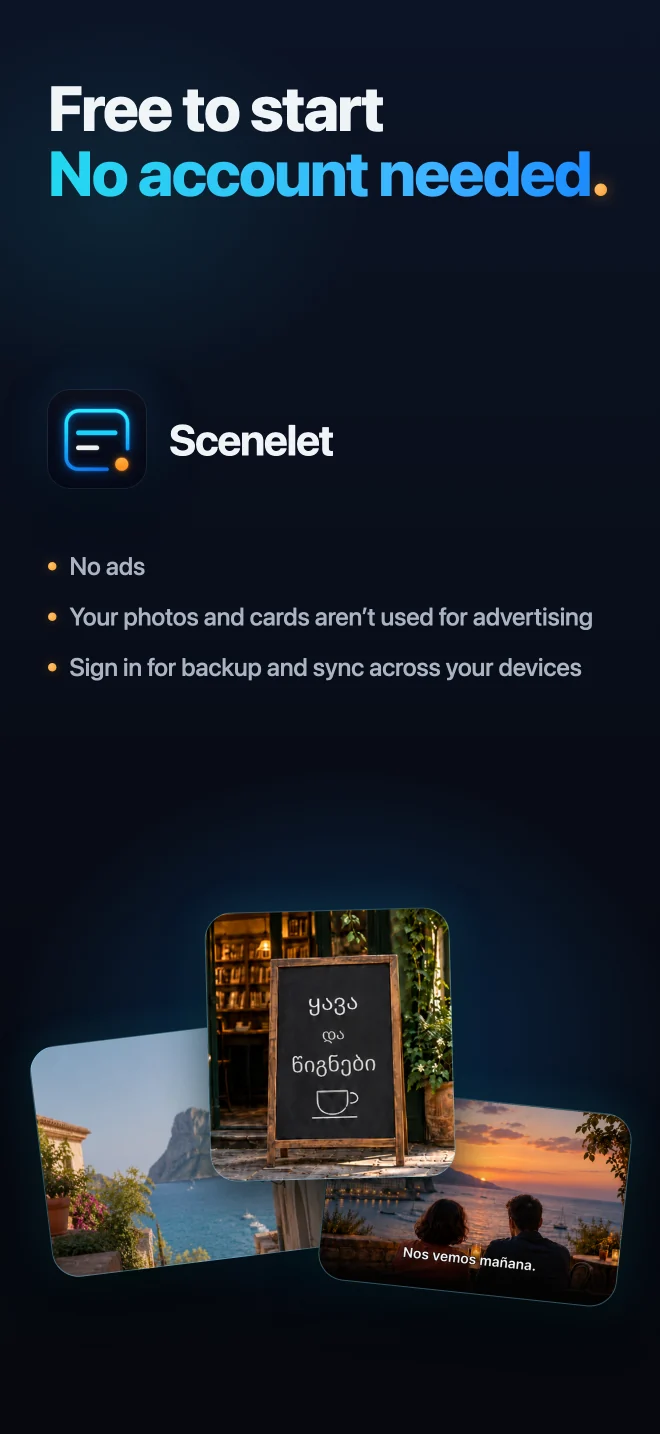
No ads. Your photos and cards are not used for advertising.
From a moment to a memory
Photos, books, slides, and subtitles become your own phrase collection, with the original image close at hand.
Swipe or scroll to explore all six screens.
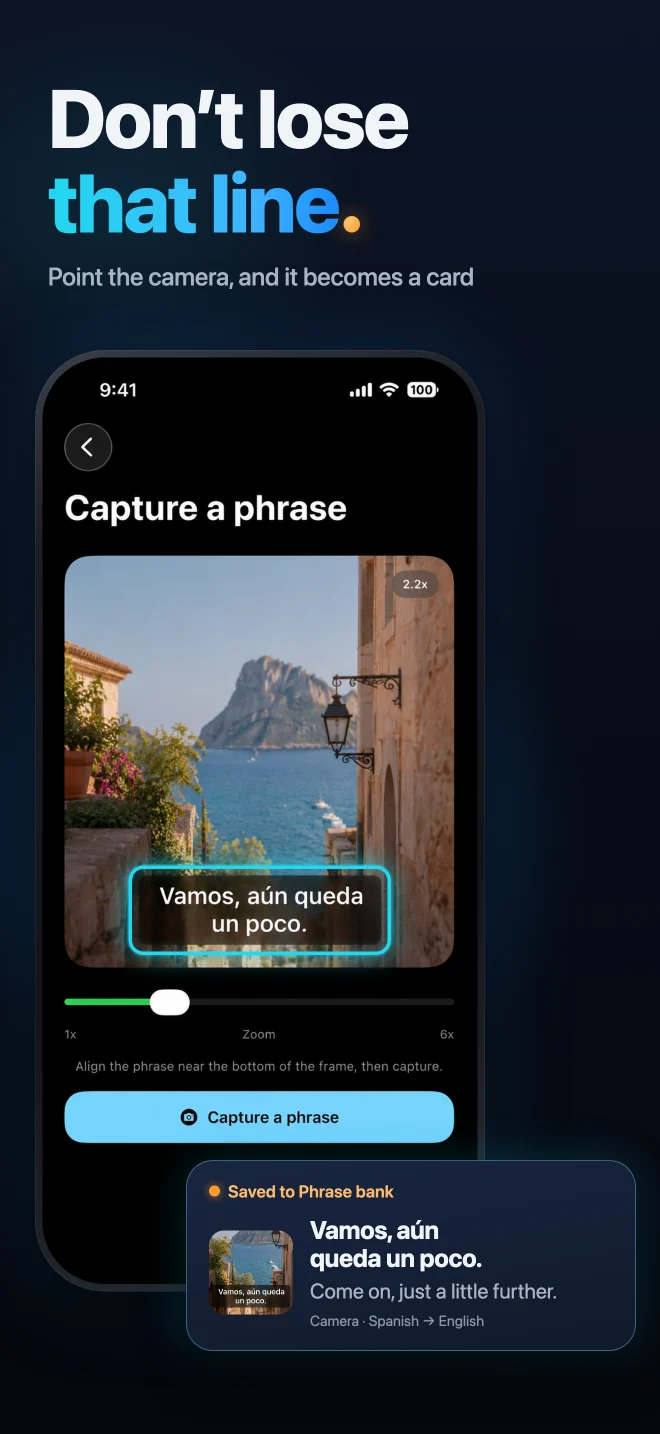
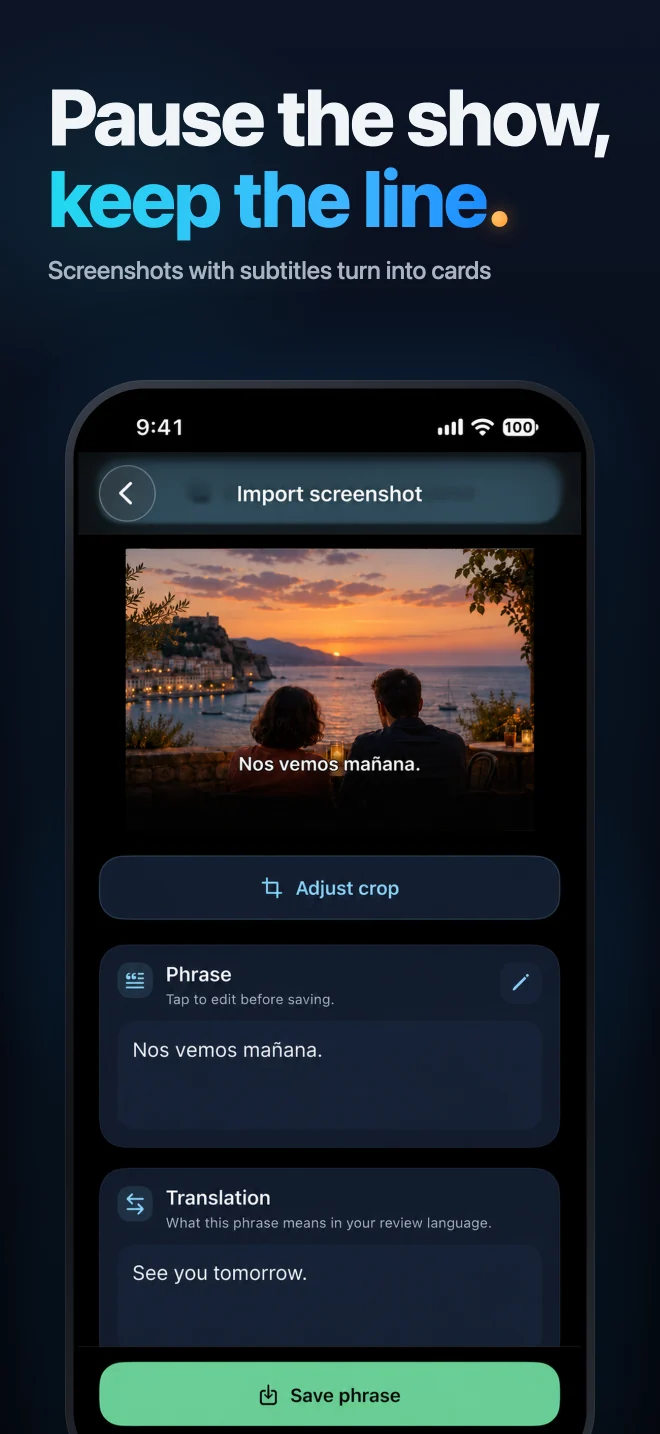
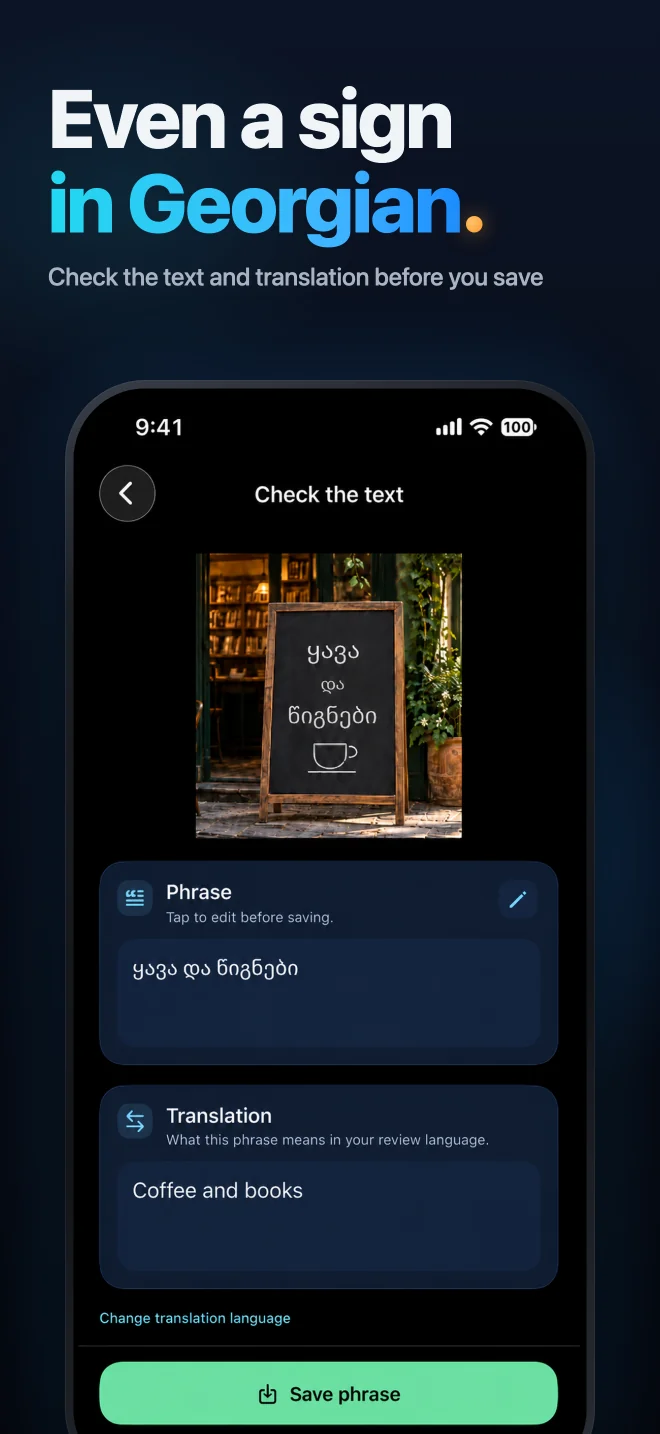
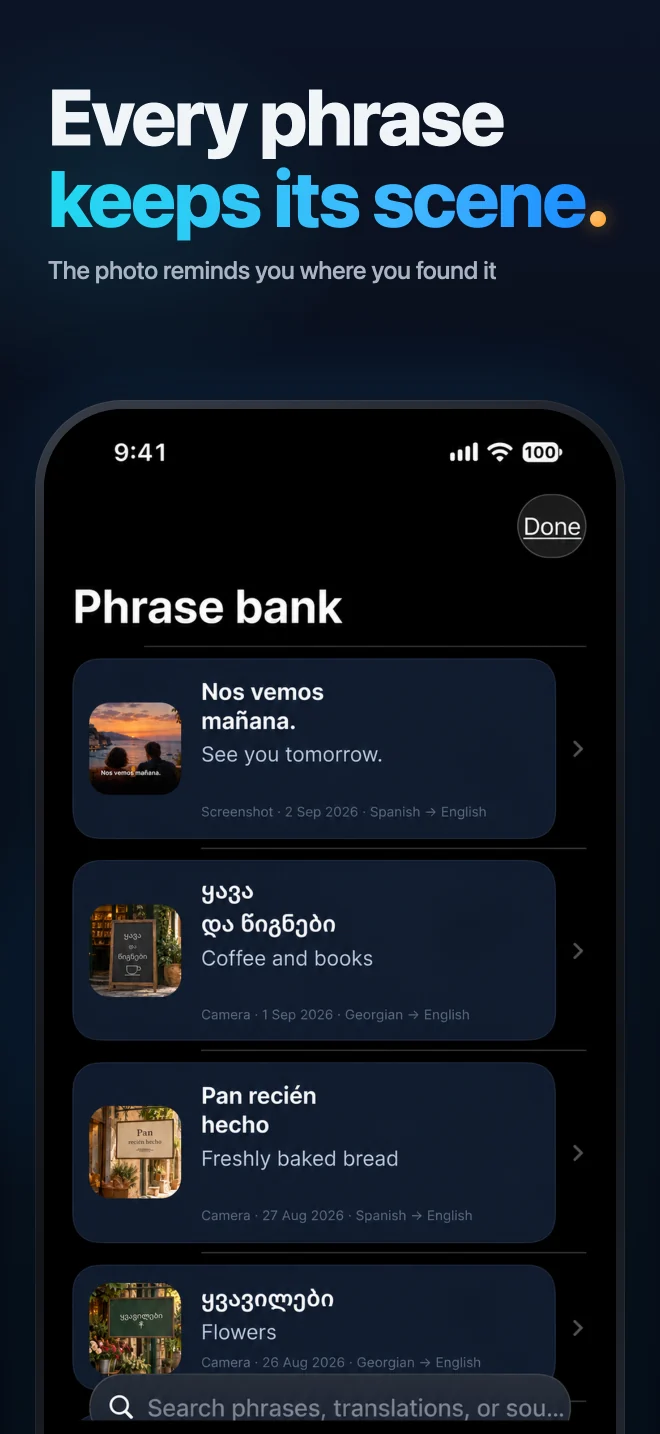
Scenelet workflow
Take a photo, import a screenshot, or type a phrase yourself.
Edit the text and translation. Keep the phrase with the picture that gives it context.
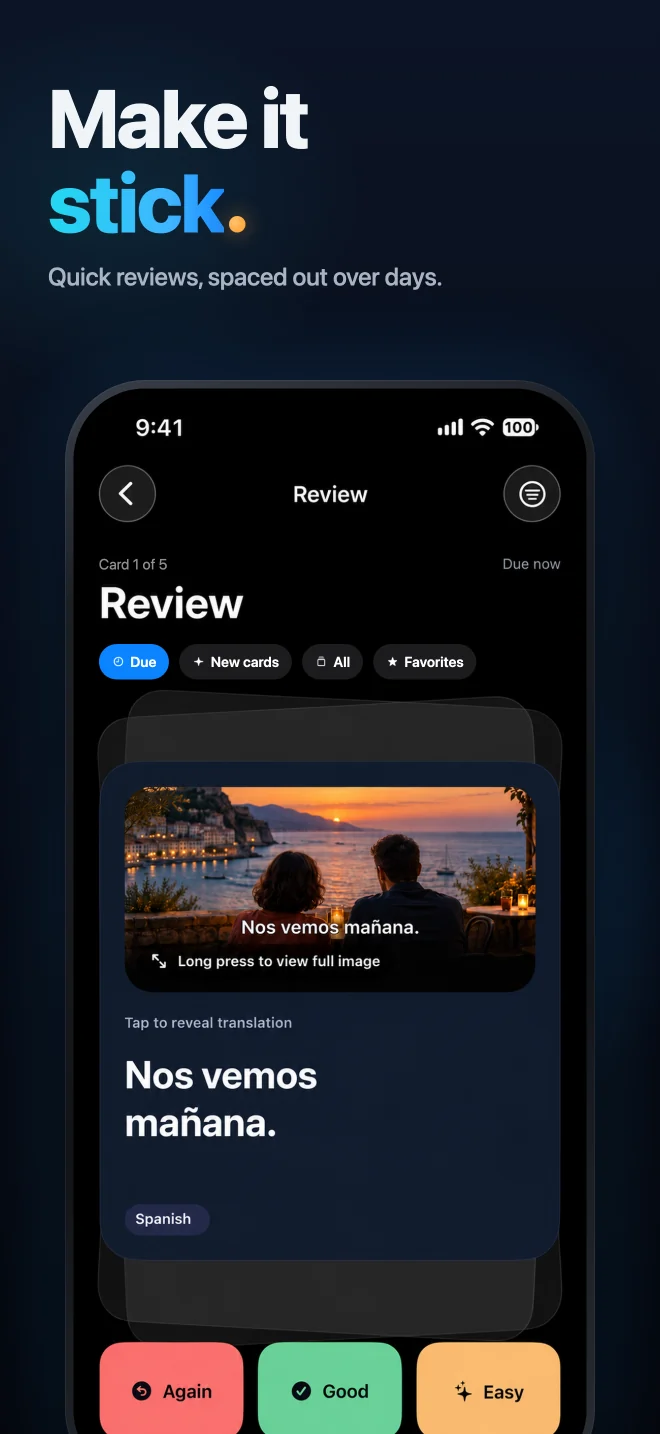
Try to recall the meaning, reveal the translation, and rate your answer.
Explore Scenelet
Use a photo or screenshot of text, or enter a phrase yourself. Build your own collection from language you encounter: signs, menus, books, slides, and subtitles.
Review powered by FSRS-6, with intervals calculated from your answers.
The original image stays with the phrase, so you can return to the scene where you found it.
Coming in a future app update
Preview a styled phrase card, choose square, portrait, or Story, and share or save it. Add its photo when available.
Try a sample image to make your first card before using your own photos.
Start with a phrase
Capture, save, and review your own phrases. Start as a guest, with limits on saved phrases and daily cloud processing.
Optional, with sign-in. Cloud processing still has a daily limit. Current plans and purchase terms are shown in the app.
A few useful details
Use the core features as a guest. Connect Apple or Google for backup, sync across devices, and Scenelet Pro.
Text recognition and translation send selected images or text to external cloud services with your separate consent. Results can contain mistakes; you can edit the phrase and translation.
No ads. Your photos and cards are not used for advertising.
Product analytics are limited to events, and crash reporting is redacted. You can delete your account in the app.
Yes. Take a photo or import a screenshot of the visible text. Scenelet does not import or transcribe video directly.
Review powered by FSRS-6, with intervals calculated from your answers.
Available for iPhone
Start your personal phrase bank today. Capture a phrase, check its translation, and make it part of your next review.